Gameplay · 6 min
How to Change the Time of Day in Aniimo and Hunt at Night
The whole answer is four clicks and a few seconds of waiting, so this guide spends its length on what you do next: the four time periods the client offers, how to read a species’ time condition off the map, and the seventeen launch entries that only exist after dark. AlphaZin’s footage, checked line by line against the game’s own data files.

Video by
AlphaZin
The menu route, the map walkthrough and every screenshot on this page by AlphaZin
Press Esc to open the game menu, then click the sun and moon icon on the narrow sliding panel down the right-hand edge of the screen: the client calls it Day and Night. Pick Early morning, Noon, Dusk or Nighttime, press Confirm, and the world changes around you within a few seconds. You can do it again immediately, as often as you like.
That is the whole mechanic, and it takes longer to read than to do. The rest of this page is the part that actually costs you time: which Aniimo the launch client only places after dark, how to check a species’ time condition before you walk anywhere, and why the creature you are hunting may need weather rather than a clock.
The route below is AlphaZin’s, recorded on 18 September 2026 on the live launch client. Every menu label, button and card field was read off his screen rather than off the auto-captions, then checked against the game’s own data files, build 1.0.0.7. Where the two disagree, we say so.
How do you change the time of day in Aniimo?
Open the menu with Esc, click the sun and moon icon on the sliding panel at the right of the screen, choose a time period, and press Confirm. Four clicks, start to finish.
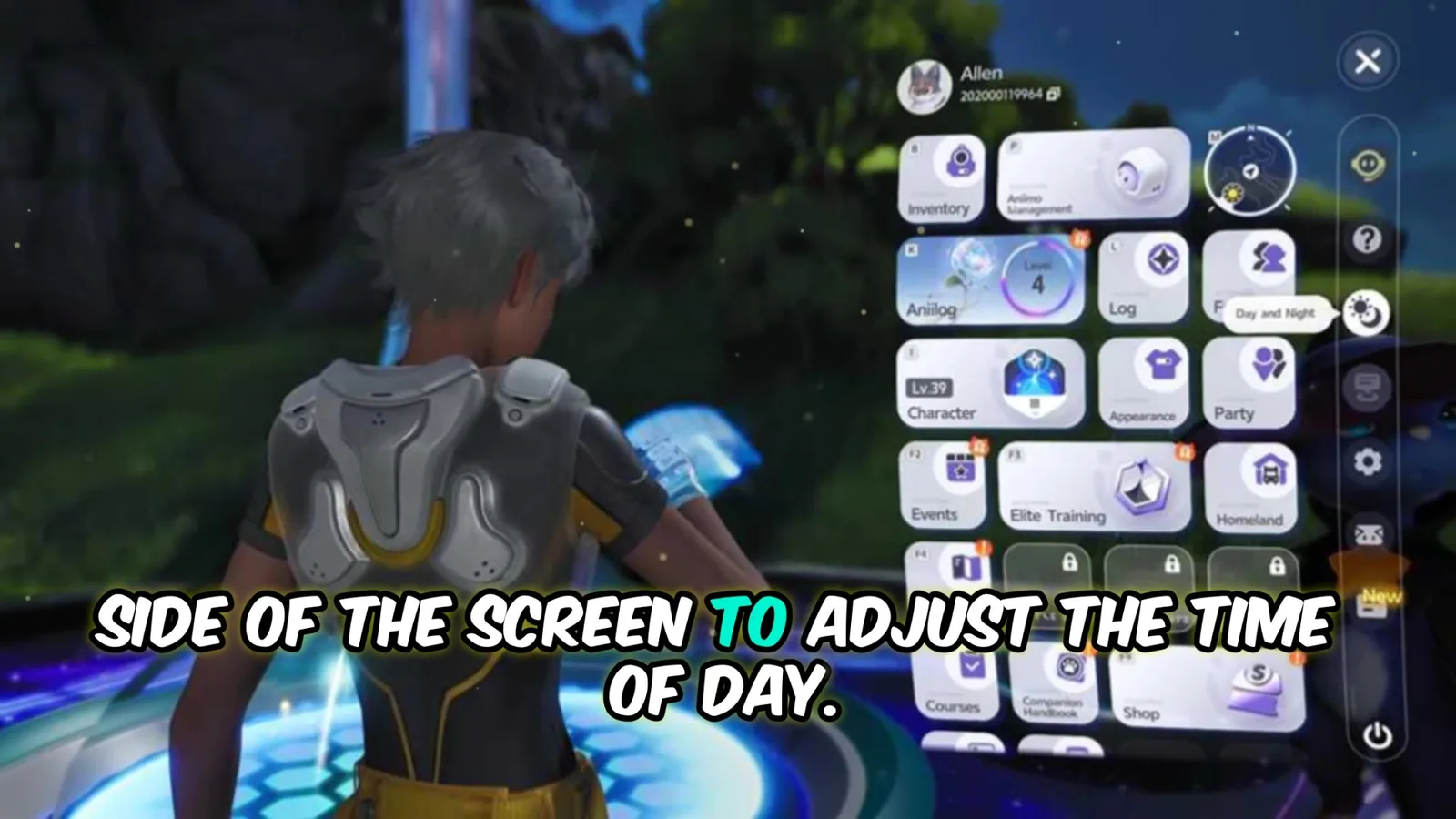
- Press Esc to open the game menu.
- Click the sun and moon icon on the sliding panel, third down under the eye and the question mark. Hovering it prints its name: Day and Night.
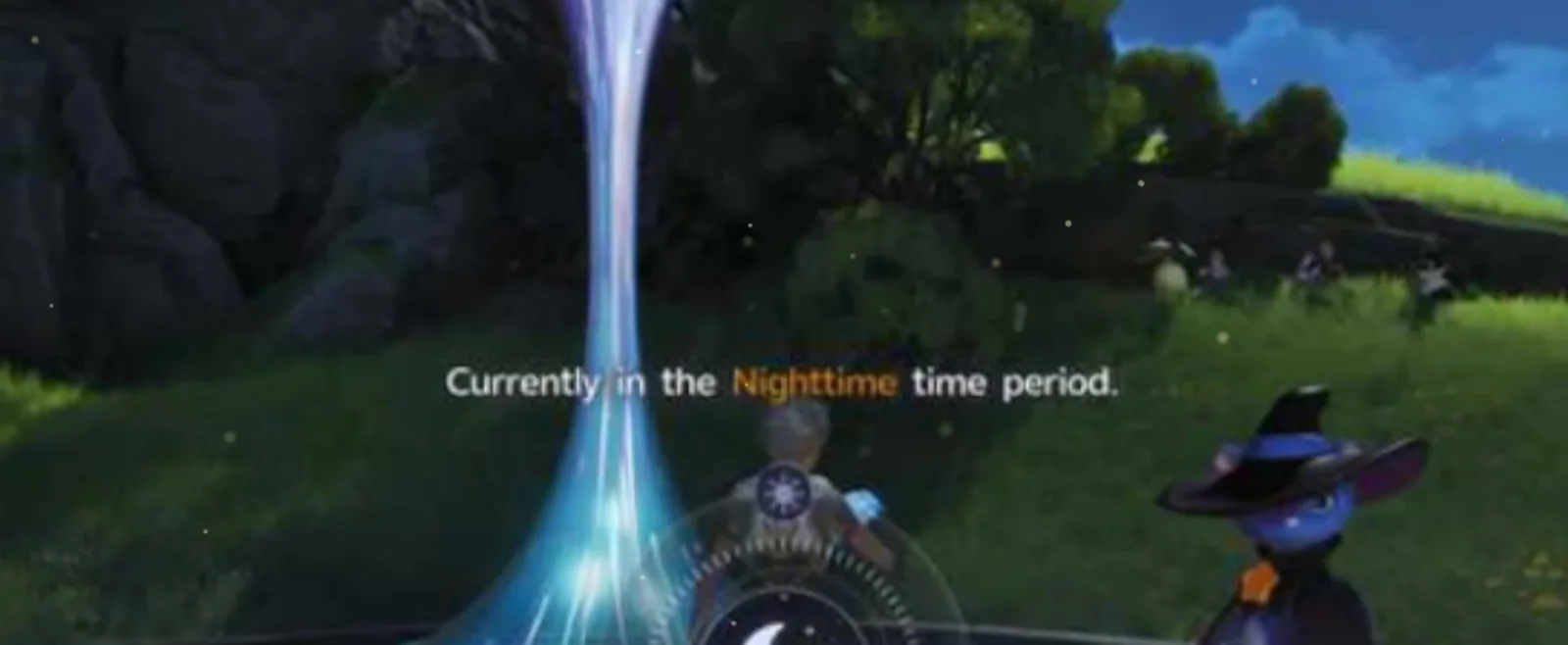
- Choose a time period. Early morning, Noon, Dusk or Nighttime. The panel also tells you which one you are in already.
- Press Confirm. The client asks Are you sure you want to jump time forward to [period]? with Back and Confirm beneath it. The sky turns over within a few seconds.
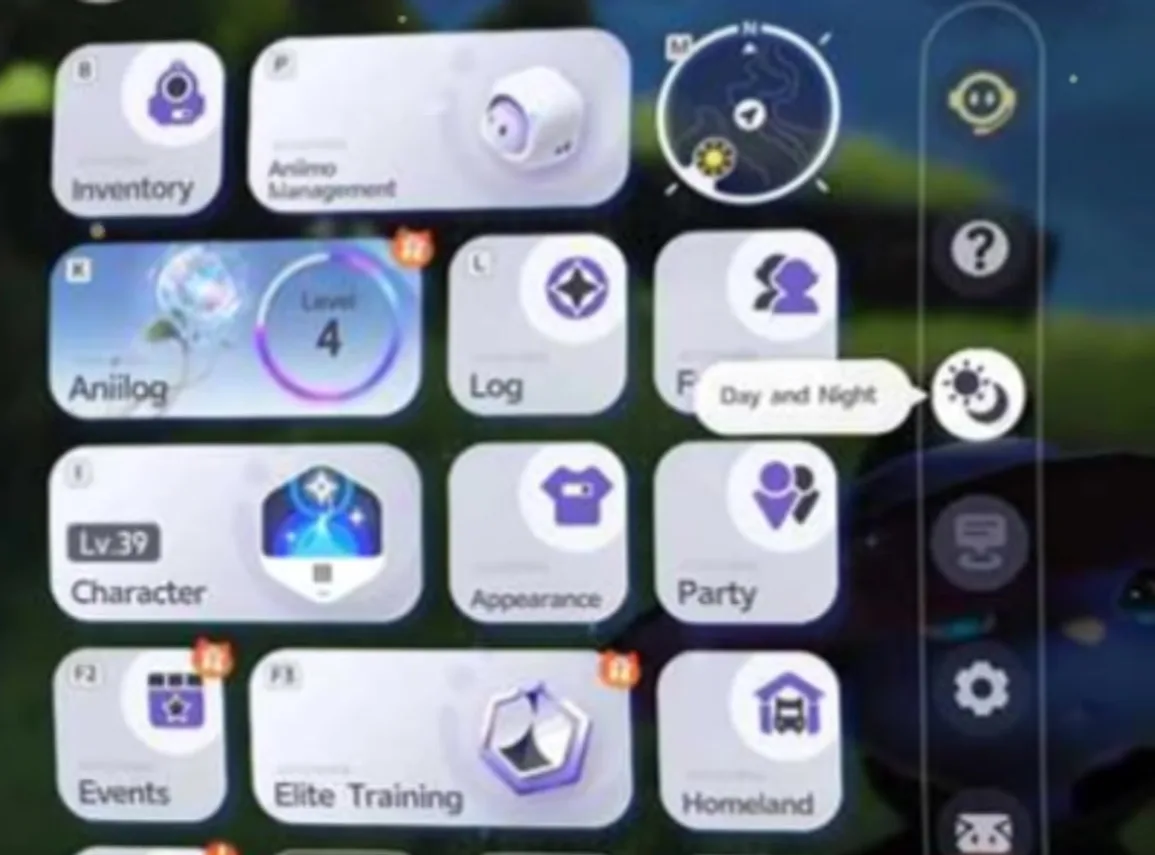

The four time periods, and what each is for
The switch is not a clock you drag: it is four fixed windows on the in-game day. Those windows come from the launch client’s own tables.
| Option | In-game clock | What it is for |
|---|---|---|
| Early morning | 06:00 to 08:00 | Ending a night session without waiting out the cycle |
| Noon | 08:00 to 17:00 | The default world: everything that is not night-gated |
| Dusk | 17:00 to 20:00 | Screenshots, and stepping to the edge of night |
| Nighttime | 20:00 to 06:00 | Every entry in the table below |
Ten of the twenty-four in-game hours are night, which is the only one of the four windows that gates content.
How to see which Aniimo need a given time
Open the map, click the Bloom nearest to where you are standing, and the game lists every Aniimo spawning around it as hexagonal tiles. Click a tile and its card prints two fields that settle the question: Aniimo Location and Requirements.
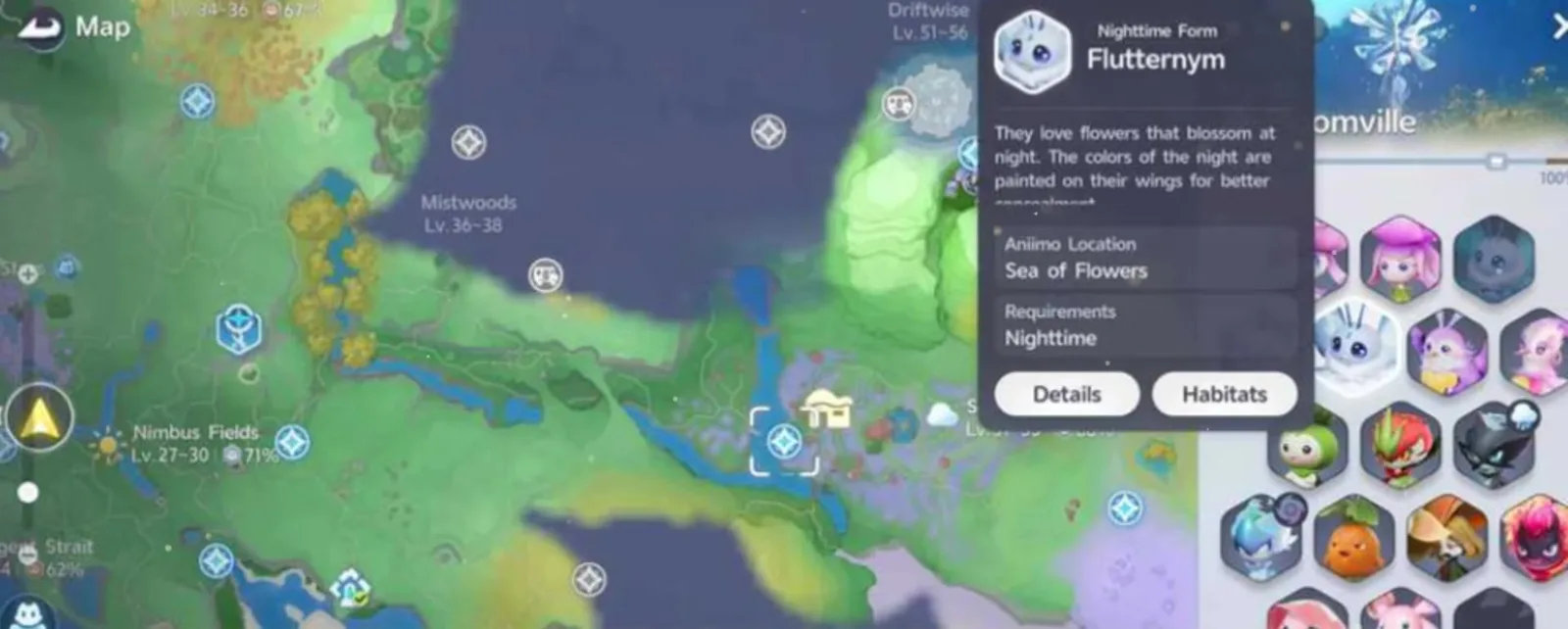
The card in that shot is the Nighttime Form of Flutternym, and it is a clean example because everything you need is on it.
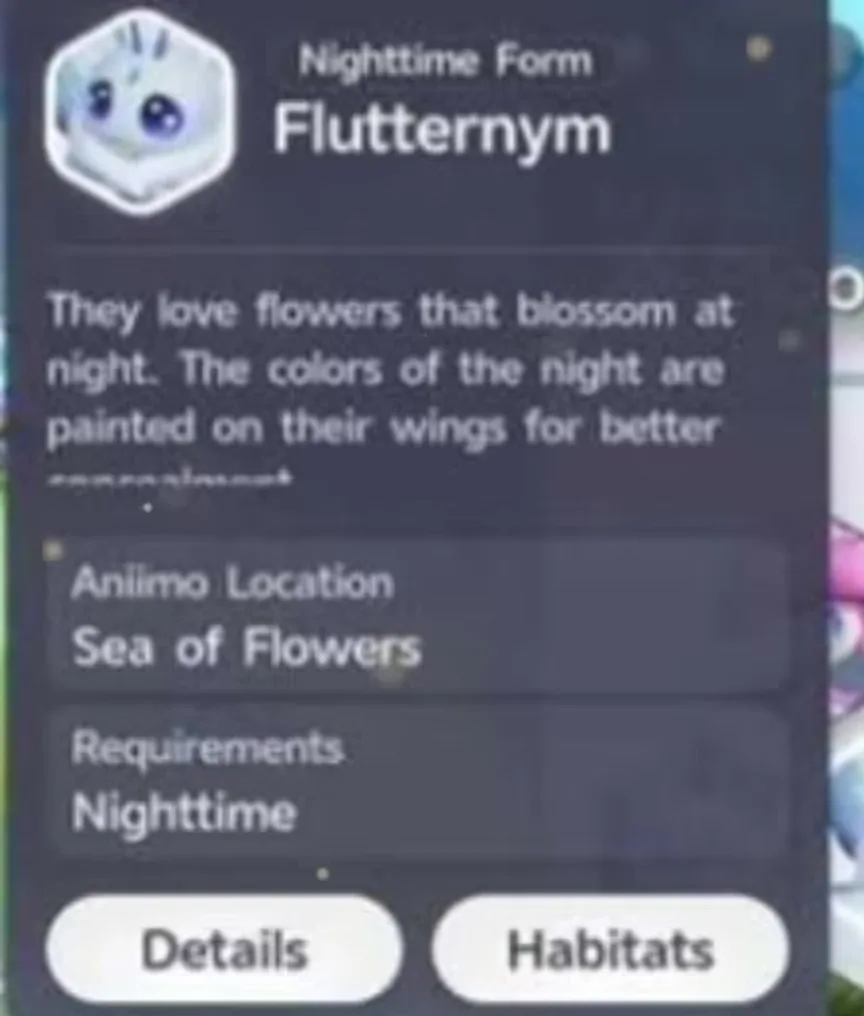
If the Requirements line is blank, time is not a factor and you are simply in the wrong place. If it names a weather state, no amount of clicking Day and Night will help. Our interactive map holds the same spawn zones out of game, which is useful for planning a route before you log in.
Every Aniimo that only appears at night
Seventeen launch entries are gated on Nighttime: eight species whose field entry carries the condition outright, and nine Nighttime Forms, separate Aniilog pages with their own artwork and, on six of the nine, a Dark element layered on top of the base one. Every row below is read from the game’s own data files, and the region links open our map with that creature’s spawn zones drawn.
| Aniimo | Form | Element | Role, stage | Where to look | Spawn points |
|---|---|---|---|---|---|
| Sparki | Species | Fire | Regen, Lumin | Nimbus Fields 31, Blitzwood 27, Beast Fang Ridge 10 | 68 |
| Bulbly | Species | Lightning | Support, Lumin | Tideblossom Coast | 65 |
| Wisptis | Species | Dark | DPS, Lumin | Berylline Vale | 47 |
| Flutternym | Nighttime Form | Dark and Wind | Heal, Lumin | Sea of Flowers | 45 |
| Susuta | Nighttime Form | Water | Break, Lumin | Echoback Landing | 25 |
| Bonesky | Nighttime Form | Dark and Ice | DPS, Lumin | Rosetower Woods | 12 |
| Veilfloat | Species | Lightning | Support, Gamma | Tideblossom Coast | 8 |
| Ignitis | Species | Dark | DPS, Nova | Berylline Vale | 3 |
| Fenrier | Nighttime Form | Dark and Ice | DPS, Gamma | Rosetower Woods | 3 |
| Flamerion | Species | Fire | Regen, Nova | Beast Fang Ridge | 3 · also needs 15 Sparki caught in a row |
| Pomawk | Species | Grass | Break, Nova | Rosetower Woods | 2 · also needs the Pomegg Party |
| Luminelle | Species | Lightning | Support, Nova | Tideblossom Coast | 1 |
| Glynsera | Nighttime Form | Dark and Ice | DPS, Nova | Rosetower Woods | 1 |
| Gracewing | Nighttime Form | Dark and Wind | Heal, Nova | Evolve Flutternym | None recorded |
| Popota | Nighttime Form | Water | Break, Gamma | Evolve Susuta | None recorded |
| Panpanta | Nighttime Form | Water | Break, Nova | Evolve Popota | None recorded |
| Piopiota | Nighttime Form | Dark and Water | Support, Nova | Evolve Popota | None recorded |
Two things in that table are worth acting on. Night is not a Dark-element club: only two of the eight night-only species are Dark, three are Lightning, two are Fire and one is Grass, so the usual shorthand sends people to the wrong region. And Sparki is the one to do first, because it is a Regen body with 68 recorded spawn points across three regions and 31 of them sit in Nimbus Fields, where the early game already puts you. The four entries with no recorded spawn points are later stages you evolve into rather than find, which our forms guide covers.
Quests that need night
AlphaZin’s own example is the Bloomville Festival chain, where you have to rest for the night at the village elder’s home: set the time to Nighttime, he says, and the objective clears without waiting. One correction is worth making, because it decides whether the trick is available to you at all. The launch client hides the Day and Night icon until you finish the main story, and its own unlock line reads Complete required story to unlock. The quest it waits on has the objective Stay at the elder’s house for the night, inside Ceremony Preparations, the eighth section of the main story. On the launch build, in other words, that objective is what hands you the switch rather than something the switch skips. The quest is not shown on screen in the video, so treat the shortcut as AlphaZin’s account of it and the unlock as the client’s.
Where the switch is unambiguously a time-saver is the Journey quest that ends in Inferlupa. That chain wants you at a campfire in Beast Fang Ridge on three separate nights, and each one begins with exactly this menu. The beginner guide also lists five daily Tracking Point investigations whose instruction is to catch the target after dark.
Time is not weather
The Day and Night panel moves the clock and nothing else. A creature whose Requirements line says Rainy, Rainy or thunderstorm or snow is on a separate system, and the launch client carries 20 weather forms: 11 Snowfield, 6 Rainstorm and 3 Thunderstorm. Rainstorm Stellarys is the worked example of hunting one.
The weather can be set, though not from this panel and not early. AlphaZin says it is done from the Nurture menu found in Blooms once you hold that area’s silver medal, and that checks out: the Branch at a Bloom carries two buttons, Nurture and Change Weather. A region’s Bronze Badge, at 40% Aniimo Collection Progress, opens Nurture. Its Silver Badge, at 70%, opens the weather change, and the button stays greyed out until the Branch has been fed enough Lumin Amber. Our Nurture guide with ZakkuVerse shows the Branch screen and the badge ladder. Until a region reaches Silver, a weather form there is a matter of waiting for the sky.
Limits and gotchas
- It is not instant, but it is close. A few seconds between Confirm and the new sky, with no loading screen.
- No cooldown and no cost. AlphaZin changes it repeatedly and reports you can do it as often as you need without taking a break. No timer, currency or item appears on screen at any point.
- Your world only. Try it as a guest and the client answers This feature cannot be used while you are in another player’s world, so a co-op night hunt runs on the host’s clock.
- Hidden before the story unlock. If the strip has no sun and moon icon, you have not reached Ceremony Preparations yet.
- It is a jump, not a rewind. The prompt says jump time forward, and picking the period you are already in does nothing at all.
Once the switch is yours, night stops being a thing that happens to you. Plan the route with fast travel, pick the region off the table above, and if you are still working out what to prioritise, the first ten things to do puts the night-only Regen and Support lines early for a reason.
Sources