Gameplay · 6 min
Aniimo Twitch Drops: Every Reward and How to Claim Them
Two hours of any Aniimo stream with Drops on pays out 50,000 Credits, 20 Aniipod Pro, 50 Glimmer, a Tumbler and an Incredible Egg. AniimoSync ran the whole chain on camera, from the linking page to the reward landing in his in-game mailbox, and we read every threshold off the screen rather than the captions.

Video by
AniimoSync
Walkthrough, footage and every screenshot on this page by AniimoSync
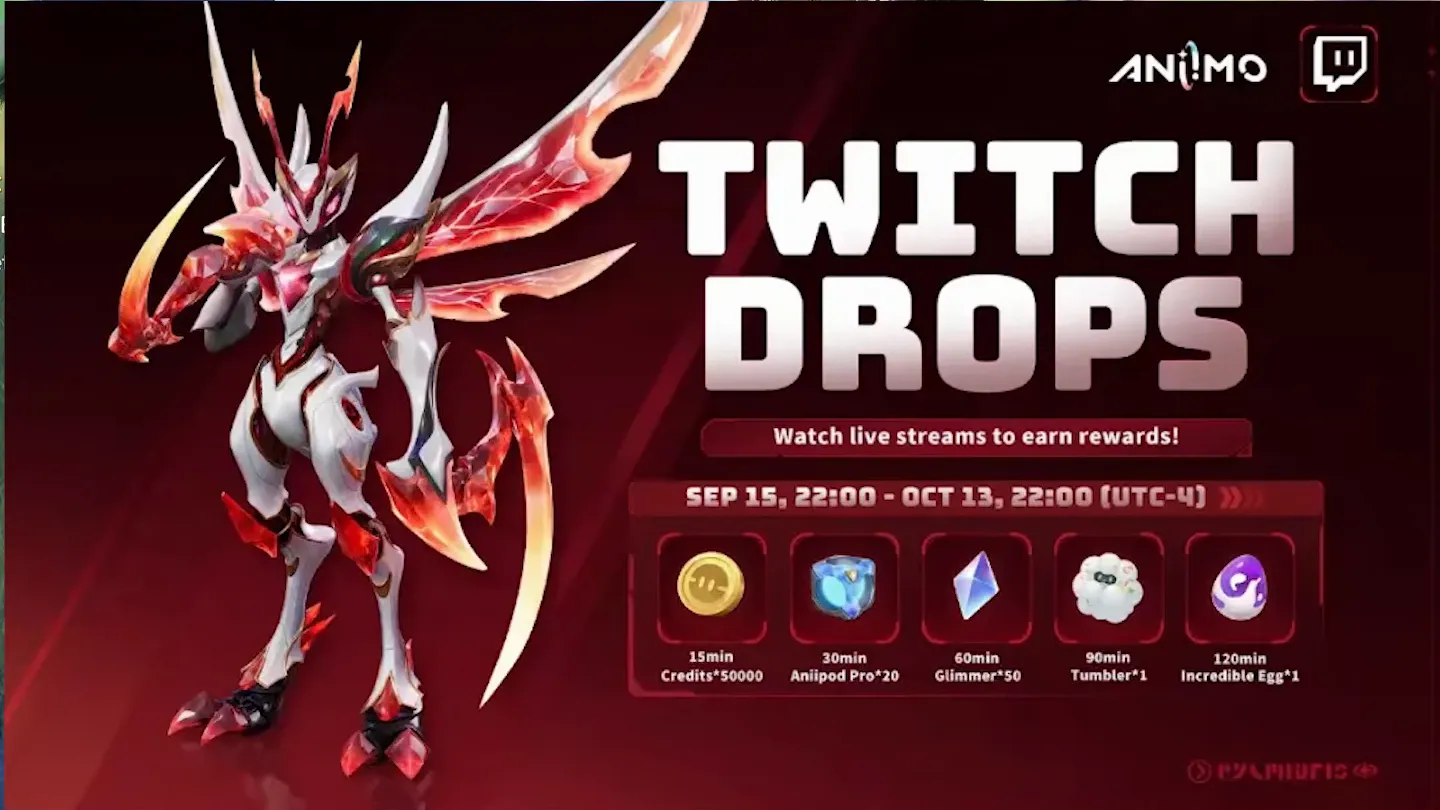
Aniimo Twitch Drops pay out five rewards for two hours of watching any Aniimo stream with Drops enabled: 50,000 Credits at 15 minutes, 20 Aniipod Pro at 30 minutes, 50 Glimmer at an hour, a Tumbler at 90 minutes and an Incredible Egg at two hours. The campaign banner dates it from 15 September, 22:00 to 13 October, 22:00 (UTC-4).
The watch time is cumulative and it counts across channels, so nothing has to happen in one sitting. Lurking counts. A muted tab counts. A player left at zero volume does not, and that is the most common reason a drop bar never moves.
The walkthrough is AniimoSync’s, recorded on 16 September 2026 and run end to end in one take: the official linking page, the Twitch authorisation, the stream, the claim, and the reward arriving in his in-game mailbox. Every threshold and date below is read off the screen rather than off the captions, and where the game and Twitch label the same thing differently, we say so.
How do Aniimo Twitch Drops work?
You link your Aniimo account to your Twitch account once, then watch Aniimo streams with Drops turned on. Twitch counts the minutes, you claim each reward on Twitch, and the game delivers it to your in-game mailbox. There is no code to type, which makes this a different thing from the Aniimo redemption codes.
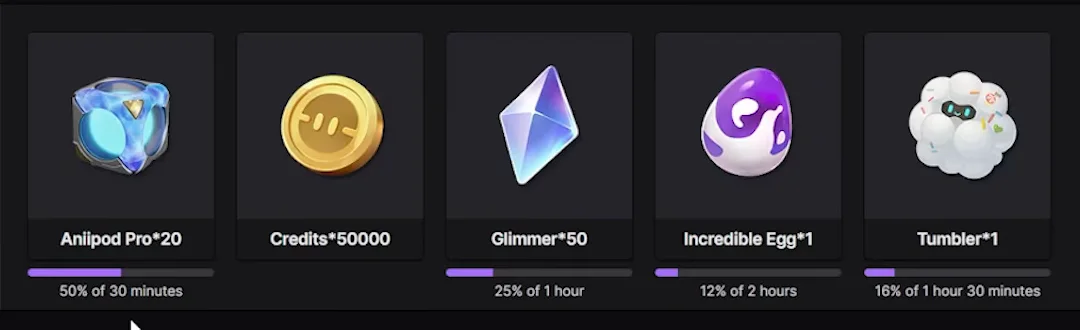
One detail decides how you plan your evening: the thresholds are cumulative totals, not a fresh clock per reward. Twitch’s own bars read “50% of 30 minutes”, “25% of 1 hour”, “16% of 1 hour 30 minutes” and “12% of 2 hours”. Two hours unlocks everything on the list, not two hours per line.
Every Aniimo Twitch Drops reward and its watch time
These five come off the campaign banner and are repeated, item for item, in the Twitch Drops inventory later in the video.
| Watch time | Reward | What it is for |
|---|---|---|
| 15 minutes | Credits ×50,000 | The general currency: levelling materials, shop stock, Aniimo upgrades |
| 30 minutes | Aniipod Pro ×20 | The first upgraded catching device, and the one you burn through fastest |
| 60 minutes | Glimmer ×50 | The premium currency, the same one the Companion Handbook pays out in |
| 90 minutes | Tumbler ×1 | A specialty Aniipod, the Nimbi themed one |
| 120 minutes | Incredible Egg ×1 | The top line. Incredible eggs are the high grade hatch tier |
One naming note: the top reward is labelled Incredible Egg*1 without naming a species. The game’s item list carries thirteen separate Incredible eggs, and the video stops before this one hatches, so we cannot tell you which creature comes out of it.
How do you link your Aniimo account to Twitch?
Through the official campaign page at aniimo.com/activity/twitch-drops, the only place the two accounts are joined. You need a Twitch account, so if you have never made one, that is step zero.
The page opens on the same Prismana Fulmintis key art as the banner above. Scroll past it and it turns into a three card panel headed HOW ANIIMO DROPS WORK. Each card is one action, in order.
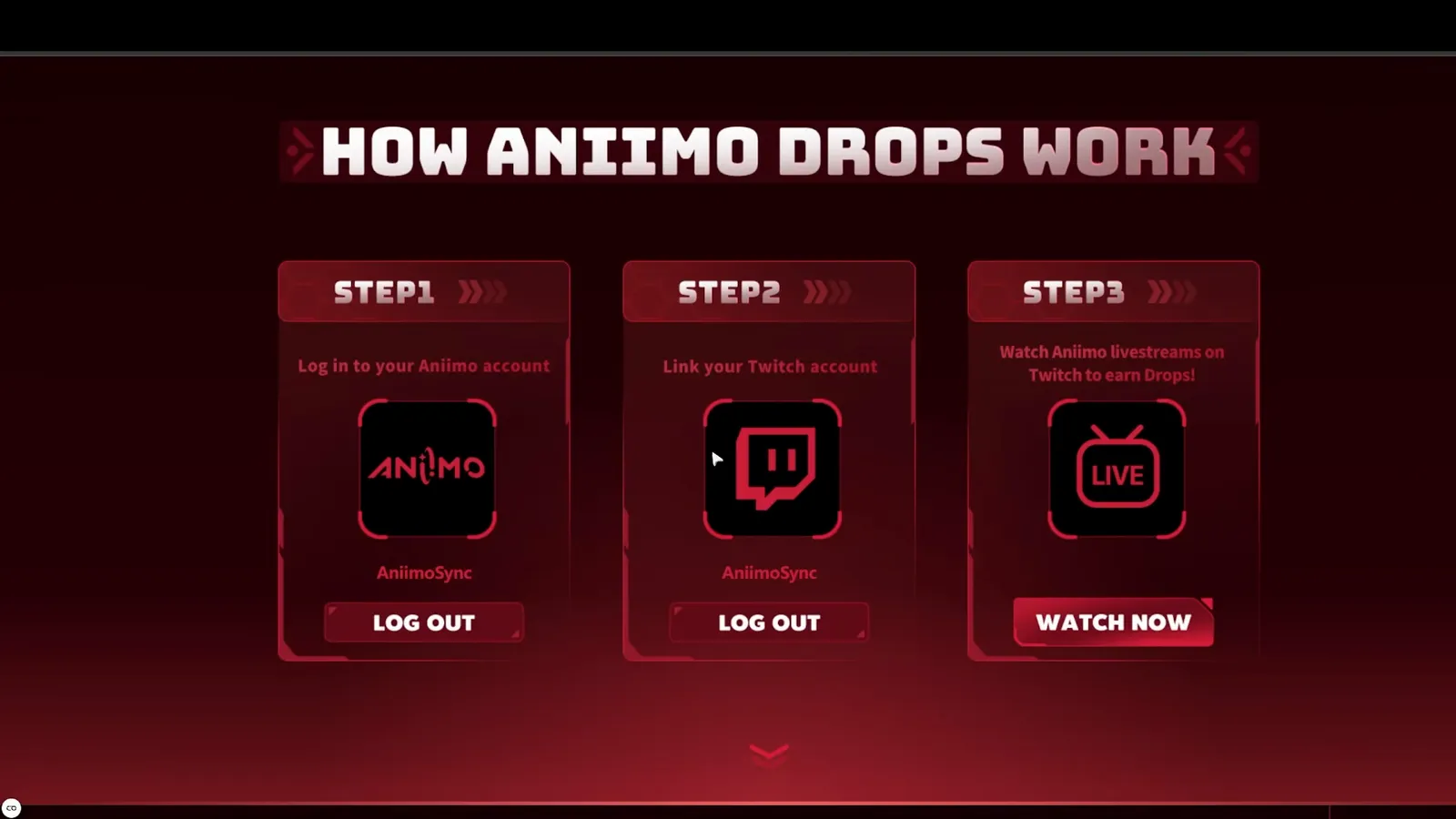
- Step 1, log in to your Aniimo account. The same account you play on. Check which one that is first, because on PlayStation and Xbox the game can quietly make you a second: our cross-progression guide covers the link that cannot be undone.
- Step 2, link your Twitch account. A standard Twitch authorisation prompt.
- Step 3, press WATCH NOW. That button sends you straight to the Aniimo directory on Twitch.
Which streams actually pay drops?
Any live Aniimo channel carrying the DropsEnabled tag. The tag sits in the row under the stream title, and it is the only thing worth checking. The video does not list participating channels, so neither will we: read the tag on the channel in front of you.
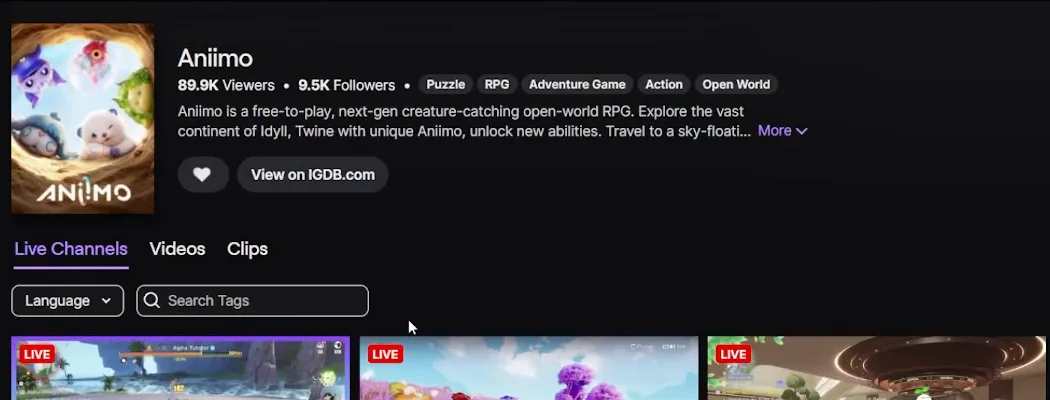
Only one stream counts at a time, which catches people who open four tabs and expect four times the progress. Background tabs are fine, and the creator says so on camera: you can lurk.
The volume rule nobody expects
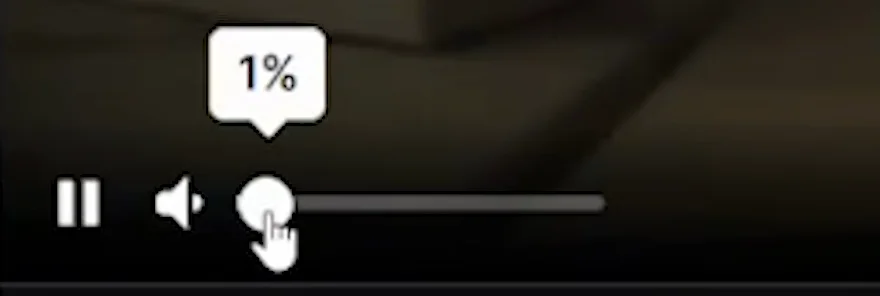
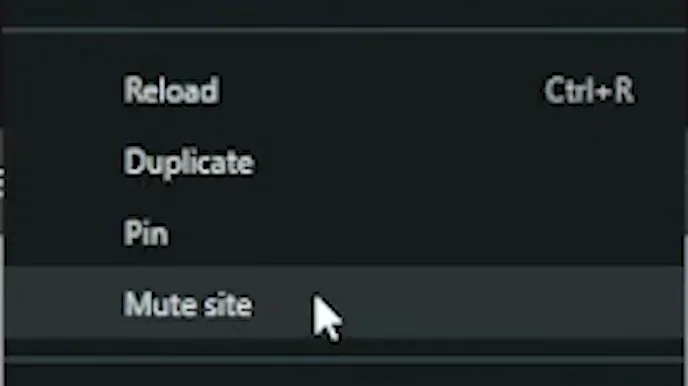
The player has to be at 1% volume or more. At 0% the drop timer does not run. AniimoSync puts it plainly on camera: the volume has to be at least 1%, and you can leave the player where it is, even at maximum, right click the tab, choose Mute site, and still get credit.
Claiming a drop on Twitch
Nothing is delivered automatically. When a tier fills, a box appears in the chat column reading “Watching earned you a Drop. Tap the box to claim.” If you never click it, the reward stays on Twitch.
Clicking it turns the box into a panel naming what you earned, tagged IN-GAME ITEM: Twitch has handed the reward off to Aniimo rather than added a badge to your Twitch account.
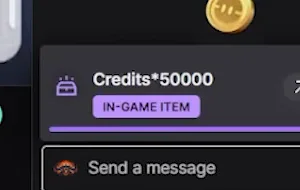
To check progress at any time, open twitch.tv/drops/inventory, where the Aniimo Global Launch campaign sits with a live bar under every reward and an end date of Tue, Oct 13, 8:59 PM CDT.
Getting the reward into the game
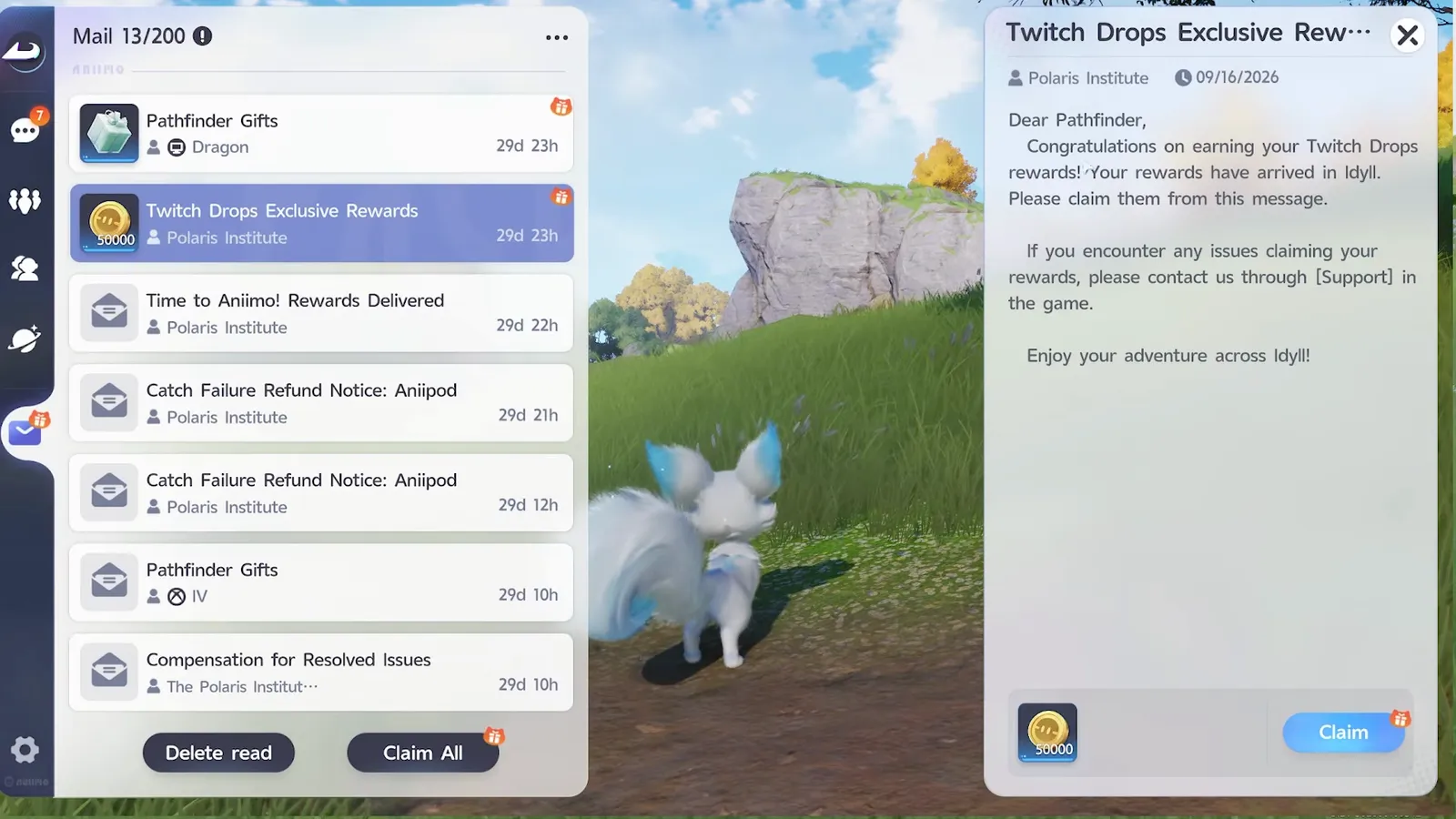
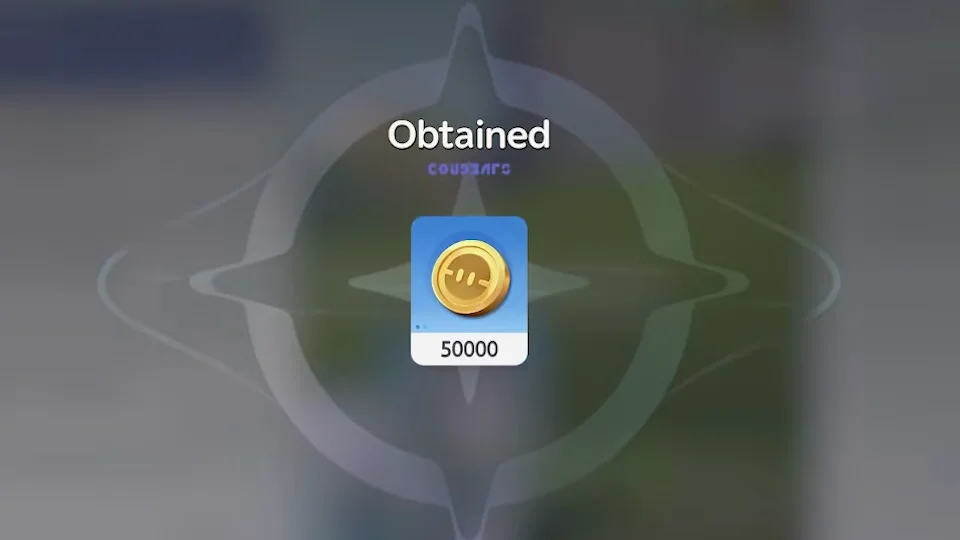
Claimed drops arrive as mail. Press Escape in Aniimo, open the mailbox, and look for Twitch Drops Exclusive Rewards from the Polaris Institute.
Why a drop never arrives
Five things break this chain, and four of them are fixable in under a minute.
- The player is at 0% volume. Watch time does not count. Lift it off zero and mute the tab instead.
- You never clicked the claim box. Unclaimed progress never reaches the game. Check the drops inventory before you close the tab.
- The accounts are not actually linked. Reopen the campaign page: if cards one and two do not show your account names, the chain is broken at the source.
- The channel has no tag. Only DropsEnabled channels count, and only one at a time.
- You are being impatient. Twitch prints its own warning on the inventory page: “depending on the number of claims and the game developer’s fulfillment schedule, it may take some time to fulfill the Drop rewards in the game”. AniimoSync puts the usual wait at one to three days.
One more, for console and mobile players: the link joins an Aniimo account to a Twitch account through the web page, not Twitch to a platform account. Log in with the Aniimo account your save belongs to, then collect the mail on whichever device you play on.
Is two hours worth it?
Yes, and the gates are unusually kind. Four to eight hours per reward is the norm for launch drops: here the whole ladder closes at two. Twenty Aniipod Pro alone is an afternoon of catching, and the Incredible Egg at the top is an item a beginner has no other early route to.
The campaign runs to 13 October, so nothing needs to run overnight. Put the tab on a muted Aniimo channel while you do something else, come back, claim, and check the mailbox tomorrow. AniimoSync streams Aniimo himself at twitch.tv/aniimosync.